
A clear plan.
A calmer Sunday.
Build the runsheet, share it with your team, and lead the service live. All in one place.
Less time putting the plan together.
Start with last Sunday, a template or a Planning Center import. Edit the order, timings and cues in place. Changes save as you go, with Undo when you need it.
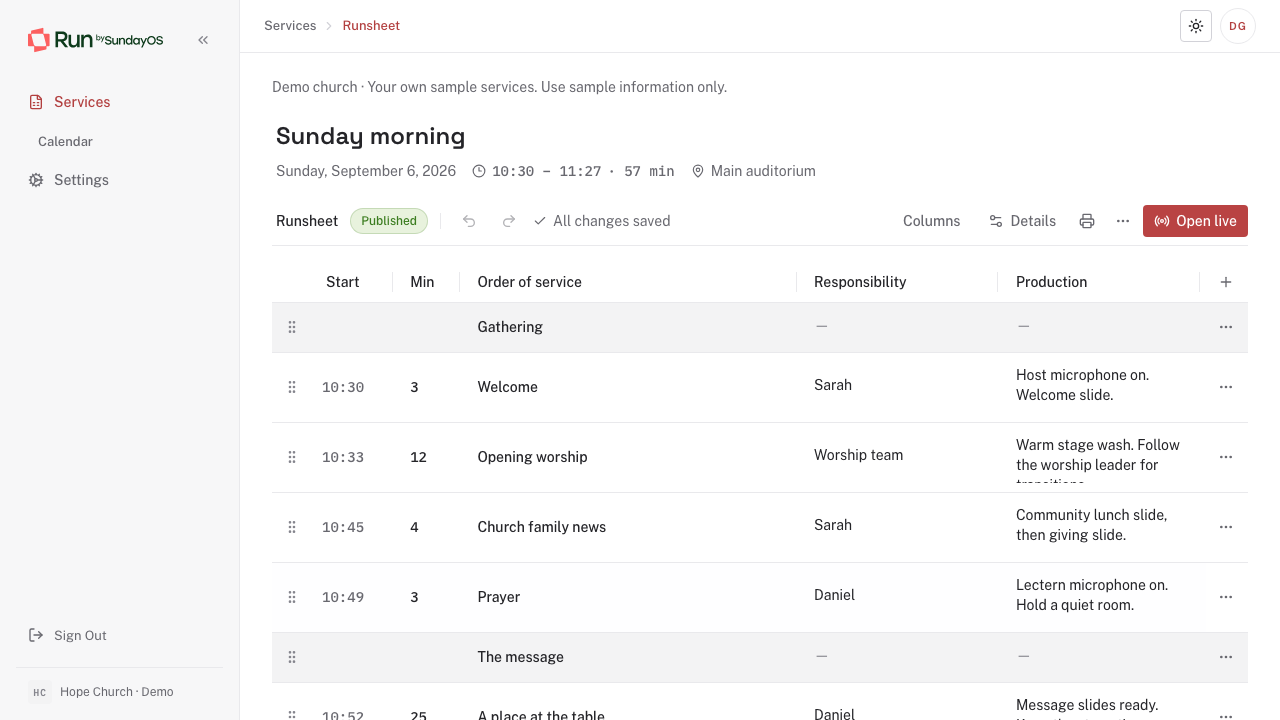
A service, from start to finish
One clear plan. A team in step.
-
01
Start with what works
Use last week's service, choose a template, or bring a plan from Planning Center.
-
02
Prepare the order
Set the order and timings. Add the cue columns your service needs, from audio to lighting.
-
03
Share the plan
Send your team the service link, or print a runsheet with your church's name and logo.
-
04
Lead it live
One producer leads. The room follows the current item, what comes next and the time remaining.
Planning Center Services
Bring the plan your team already knows.
Choose a service type and plan, review its order and notes, then choose the campus and service time. Prepare and run that service in SundayOS.
See how importing works-
The actual order of service
Items, headings, available durations and relevant notes.
-
A preview before changes
Review each import or refresh. Local edits are kept when there is a conflict.
-
Ready to use on its own
Imported services remain available if you disconnect. You can also create a service from scratch.
When the room is waiting
The next cue should be clear.
A producer controls the service. Stage displays show the current and next items, countdowns and messages intended for the room.
See whether you are running over, hand control to another operator, and spot a lost connection. The saved plan stays steady while the service runs.
Give your team a calmer Sunday.
Join the waitlist to hear when SundayOS is ready for your church.
30-day free trial at launch